
CampTrack
The easiest way to manage camper check-in, attendance, and records.
Simplify Camper Check-In and Attendance
CampTrack helps camps streamline check-in, attendance, and camper management. Request a personalized demo to see how it can work for your organization.
Designed specifically for camps
Easy to learn and use
Fast camper check-in & check-out
Reduce paperwork & manual tracking
Role-based staff permissions
Works on iPhone, iPad, Android, & the Web


What is CampTrack?
CampTrack is a modern camper management platform for camps, retreats, and youth organizations of all sizes.
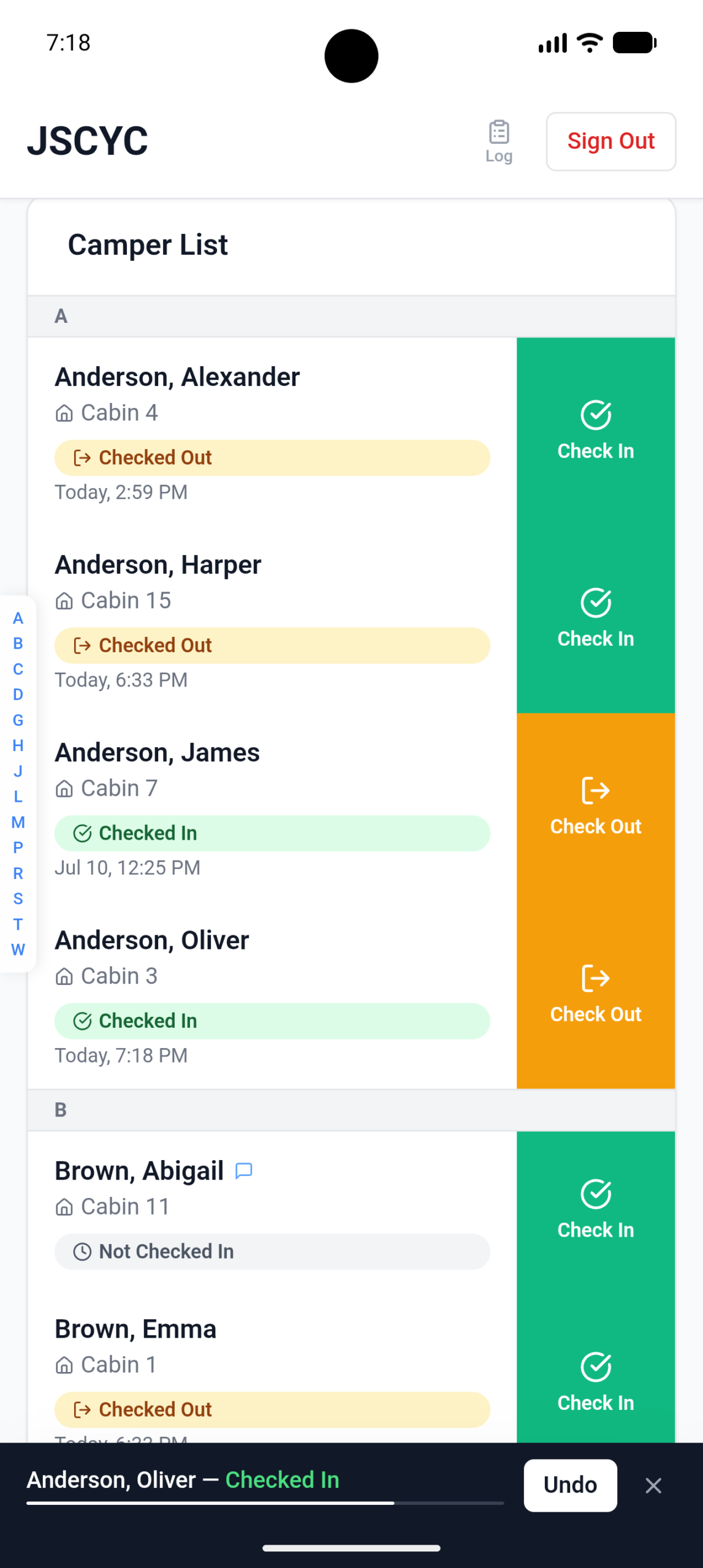
Import campers from Excel or CSV, organize campers by cabin, track attendance, and manage your staff from iPhone, iPad, Android, or the web.
Whether you’re hosting a weekend retreat or a week-long summer camp, CampTrack keeps your staff organized so they can spend less time managing paperwork and more time investing in campers.
Fast Setup
Ready within minutes
Secure Records
Protected in the cloud
Offline Ready
Syncs when you're back online
Request a demo now.
No commitment required. We’ll answer your questions and show you how CampTrack works.
Screenshots
Privacy Policy
Effective Date: July 6, 2026
CampTrack is developed and operated by Maberry Design.
Your privacy is important to us. This Privacy Policy explains what information is collected, how it is used, and how it is protected.
Information We Collect
CampTrack only collects information that is intentionally provided by authorized users.
This information may include:
- User account information (username and encrypted password)
- Camper information imported through CSV or XLSX files
- Attendance records created while using the app
- Cabin assignments and other information contained in uploaded spreadsheets
We do not collect information beyond what is provided through your uploaded data files and normal operation of the application.
User Accounts
A user account is required to access CampTrack.
User accounts are created by an administrator and require a username and password. Users are responsible for maintaining the confidentiality of their login credentials.
How Your Information Is Used
Information is used solely to:
- Provide attendance tracking features
- Store camper information
- Manage user accounts
- Maintain attendance history and administrative records
Your information is not used for advertising or marketing purposes.
Organizations own their data and may request deletion of their account and associated data.
Data Storage
CampTrack stores application data using Replit’s cloud infrastructure. Reasonable measures are taken to protect stored information from unauthorized access.
Analytics
CampTrack does not currently use analytics, advertising trackers, or third-party marketing tools.
Selling or Sharing Information
Maberry Design does not sell, rent, or share your personal information with third parties for marketing or advertising purposes.
Data Security
We take reasonable precautions to safeguard the information stored within CampTrack. While no online service can guarantee absolute security, we strive to protect your data using industry-standard security practices.
Children’s Information
CampTrack is intended for use by authorized organizations and administrators. The application is not intended for direct use by children.
Changes to This Privacy Policy
This Privacy Policy may be updated from time to time. Any changes will be posted on this page with an updated effective date.
Contact
If you have questions about this Privacy Policy or the handling of your data, please contact:
Maberry Design
Email: [email protected]
Support
Thank you for using CampTrack: Camper Tracker.
If you experience an issue, have a feature request, or need assistance with your account, we’re happy to help.
Contact Support
Email: [email protected]
When reporting an issue, please include:
- Your organization or camp name
- Your device model
- iOS version or Android version
- A description of the issue
- Steps to reproduce the problem (if possible)
We strive to respond to support requests as quickly as possible.
Feature Requests
We’re continually improving CampTrack. Suggestions for new features are always welcome and will be considered for future updates.
Thank you for helping us make CampTrack better.
Report an Issue / Provide Feedback
Changelog
Version 2.1.0
New Features
- Camper profile photos! Take a photo with camera or upload from media library
- Added medical indicators with medication toggle
- Added emergency contact information for campers
- Added a Clear Filters button for quicker navigation
- Added the ability to download a sample camper import CSV
Improvements
- Added persistent local caching to eliminate full data reloads after app inactivity
- Improved export reports to include each camper's first recorded check-in and most recent check-out times
- Made the entire resource row tappable for faster document access
- Optimized app files and removed unused components to improve performance and reduce app size
Security
- Users are now automatically signed out of all sessions after changing their password
Previous Releases
Versions 2.0.6 - 2.0.7
What's New
- Medication flag — Toggle a medication indicator on any camper; a pill icon appears inline in the list so staff can spot it at a glance
- Emergency contact — Store a parent or guardian name and phone number on each profile, with one-tap Call and Text buttons
- Clear filters — A single button resets search, status, and cabin filters all at once
Improvements
- Export report — Check In now reflects the first recorded entry; Check Out reflects the most recent, giving a more accurate attendance record
- Clickable rows — Tap anywhere on a camper row to open their profile, not just the name
- Password change sign-out — Changing your password now immediately ends your current session for security
Fixes
- Reset password button in the Admin Panel is now hidden for anyone below the Administrator role
Version 2.0.5
New
- Added Resources - Add, view, and download shared documents and photos (e.g. Daily Camp Schedule, Camp Handbook, or Rules & Regulations)
Improvements
- Improved camper status display for view-only role
Bug Fixes
- Fixed flickering horizontal jump strip navigation
Version 2.0.3
What's New
- Added support for Android devices with Google Play availability.
- Improved the sign-in experience by providing a clearer path to request a CampTrack account.
- Updated links and website integration for a smoother onboarding experience.
- Performance improvements and minor bug fixes.
Version 2.0.1
New
- Added support for multiple camps.
- Added camper notes, including CSV import support.
- Cabin assignments are now optional for all campers.
- Added a Support button for contacting the developer.
Staff & Security
- Improved staff role management and permissions.
- Enhanced account security by automatically signing users out after a password change.
Activity Log
- Activity Log now groups bulk status resets for easier reading.
- Camper profile edits now include details about what changed.
Improvements
- Camper profile updates now appear immediately after saving.
- Improved staff management dialog on smaller screens.
- Refined various interface layouts and usability.
Bug Fixes
- Fixed CSV import authentication issues.
- Fixed issues affecting campers without assigned cabins.
- Fixed admin panel dialog and dropdown issues.
- Improved data refresh after signing in and out.
- General stability and performance improvements.
Versions 1.2
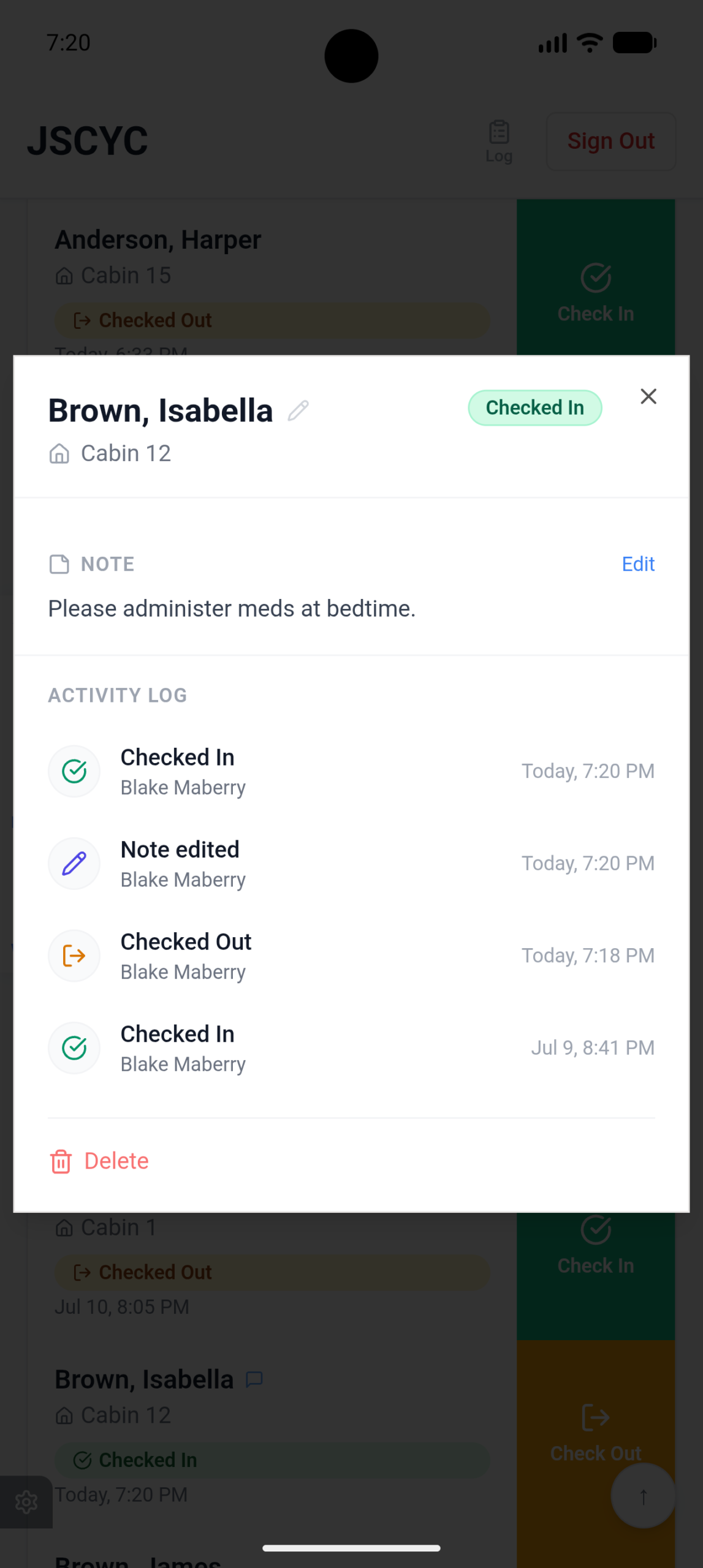
- Camper Profile Modal — Tap any camper card or row to open a full profile with activity log, notes, and (admin only) delete. Notes are editable by Registration and Admin roles.
- Notes in Export — The CSV export now includes a Notes column for each camper.
- Activity Log shortcut — A clipboard icon with "Log" label added to the header for Staff and Admin roles, giving quick access to the full activity log without opening the Admin Panel.
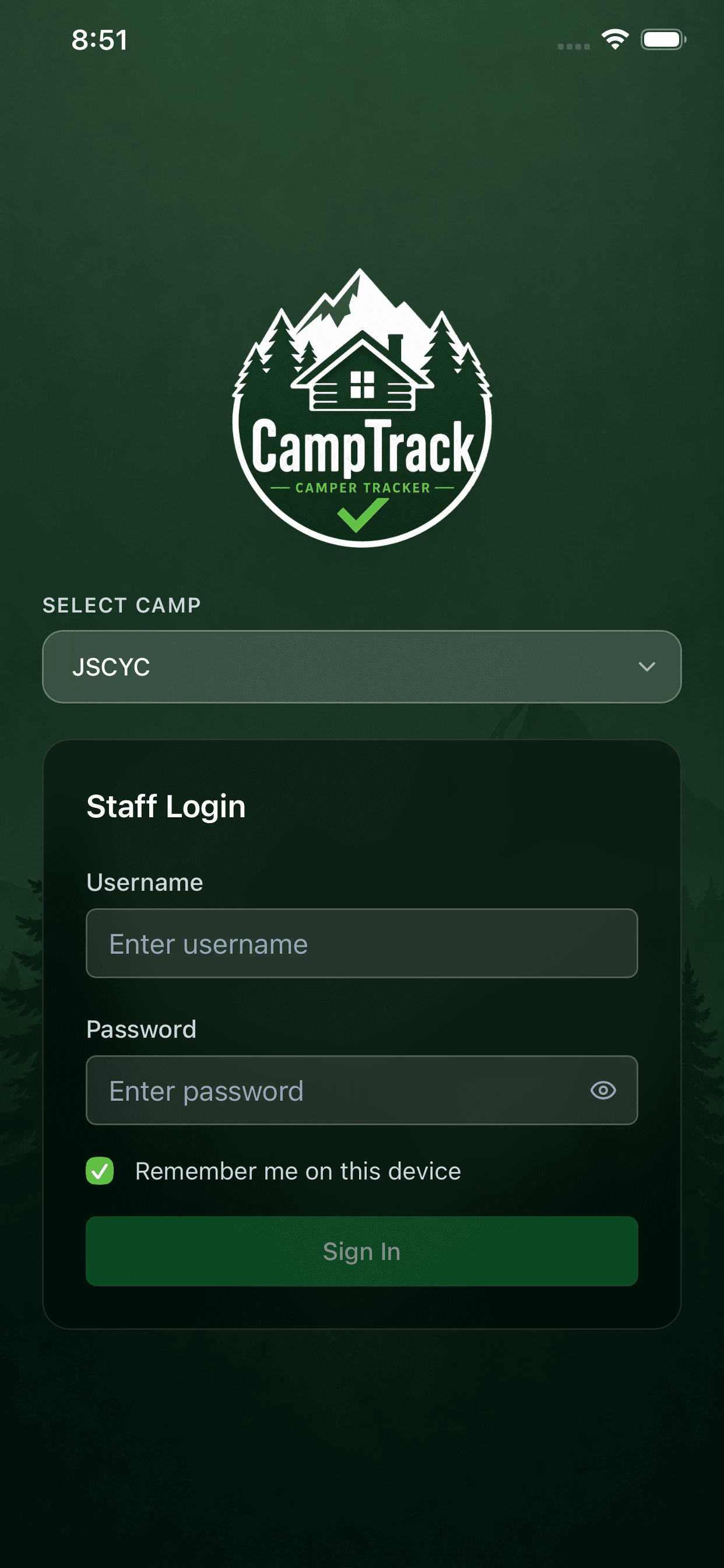
- Camp selector on login — Login screen now has a "Select Camp" dropdown to support multiple camps in a future update.
- Login screen — New scenic mountain backgrounds (portrait for mobile, landscape for desktop), CampTrack logo replacing the text title, and a frosted-glass login card.
- Header title — Simplified to show just the camp name
- Export timezone fix — CSV export now uses the device's local timezone instead of UTC, with human-readable status labels and a date-stamped filename.
- Admin Panel icons — All buttons now use consistent single-color line-art icons (no more emoji).
- Role renames — "Staff" → Registration, "View Only" → Counselor throughout the app.
- Role descriptions — Manage Staff modal now shows a clear explanation of each role's permissions.
- "Remove from list" button in the camper profile modal renamed to Delete.
- Activity Log button in Admin Panel updated to match the header clipboard icon style.
Version 1.1
- Visual tweaks and bug fixes.
Version 1.0.7
New
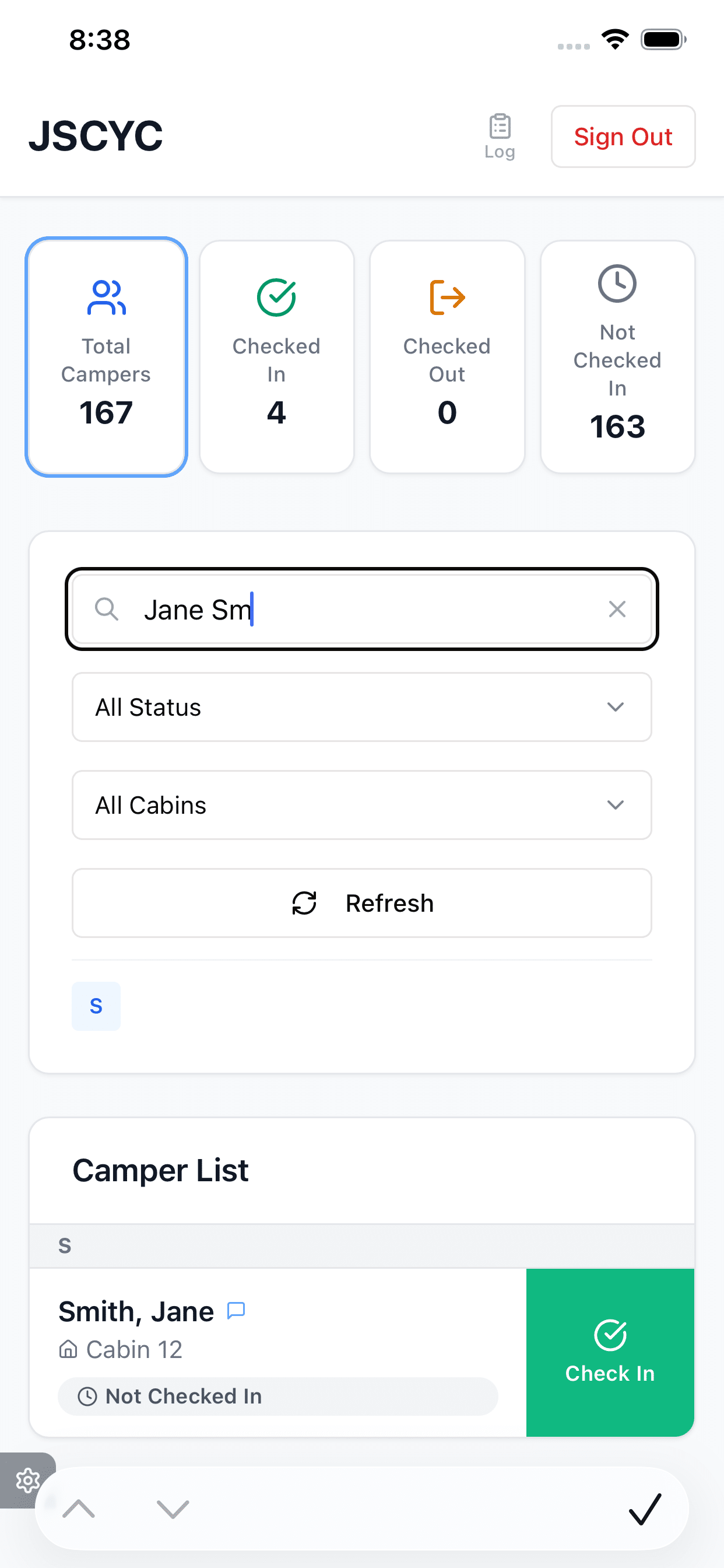
- Added status filter cards for quick attendance filtering
- Added an Activity Log to the Admin panel
- Added desktop jump strip for faster navigation
- Added Back to Top button
- Password change is now required after an administrator creates a new user account
Improvements
- App title updated
- Search placeholder simplified from “Search by name and cabin” to “Search by name”
- Improved Admin panel controls and layout
Activity Log
- Automatically refreshes every 15 seconds
- Manual refresh button added
- Activity log is automatically cleared after uploading a new CSV file or using Clear All Data
Fixes
- Fixed an issue where the Cabins filter occupied excessive vertical space.
Versions 1.0.0 – 1.0.6
Initial development releases featuring:
- Camper import from CSV/XLSX
- Attendance tracking
- Cabin organization
- User account management
- Administrative tools
- Performance improvements and stability updates